Last time we looked at the basics of what a compressor is, and what it does. In today’s post, we look at common uses of compression in music production, so you know what you’re trying to achieve when you fire up your compressor – essential for using it well.
We won’t get into specific settings as that always depends on the material you’re compressing, rather, this is about reasons why you might use compression.
Consistent levels
The most basic use is to even out inconsistent levels by bringing down the loud bits. It’s often said that ‘the most transparent compressor is you’ which is true – if consistent levels are what you’re after, you might be better off with volume fader automation.
However, if you’re pushed for time, lazy, or after something more than just consistent levels (see below) then compression is the answer for you.
Thickness
Thickness is one of those near-mythical qualities often ascribed to compressors. Essentially, it’s a by-product of reducing the dynamic range, but the amount of thickness you get is dependent on what type, and model, of compressor you’re using.
Thickness is one of those things that people often say is far easier to achieve with analogue, and tubes in particular are renowned for sounding ‘fat’ (the Manley we use for mastering certainly does), but there are some very natural sounding plug-ins that do a great job.
Fabfilter’s Pro-C is a versatile and affordable compressor, and Stillwell Audio’s Bombardier is reputedly great for mix bus duties.
Punch
The level of ‘punch’ you get is again incredibly dependent on how the exact compressor you’re using reacts, but by and large any compressor can achieve it.
Punch is achieved by allowing transients (the ‘attack’ portion of the signal) through before compressing the remainder. It’s a consequence of the difference in level between the attack and the sustain.
It depends on the material, but greater punch (and more natural sounding compression) is usually achieved with slower attack settings, and medium release times.
Colour/character
Completely dependent on the compressor you’re using. Some compressors become famous for their tone, while others are known for their transparency. It’s really a matter of taste when it comes to character.
Our Manley gives a great tube vibe to anything put through it, but the TC Electronic MD3 is so transparent you almost wouldn’t know it was there (except that everything sounds better). Each has their uses.

Glue
Another near-mythical quality of compression is ‘glue’. Generally referred to for sub-mixes or across the whole mix, compression can make everything sit together in a cohesive way that is difficult to achieve without it.
Again, some compressors are better at it than others, and you probably won’t get that close to ‘glue’ with a generic stock compressor or workman-like plug-in. This is what high-end outboard (and emulations thereof) is essential for.
Loudness
It’s been said that loudness is the mastering engineer’s job, and compressors are his weapons. This is a simplification of course, but it’s also very true.
Achieving loudness across a whole track is an art, but in simple terms is a case of raising the level of the whole track without harming the peaks. If you compress too much you lose transients, and therefore the attacks of notes, and the music loses all impact. Compress too little and you have a quiet track.
(Naturally there is more to achieving loudness than just compression, but it does go a long way…)
The same principles can be used for amplifying individual parts – something live engineers struggling to get the vocal above a loud drummer will be familiar with.
Whatever you’re using compression for – make sure you know why you’re using it and you’ll get far better results.
Next time: different types of compressor and their uses.
Compression is possibly the most misunderstood tool in the music production toolbox, but also one of the most useful. Really understanding how compression works is essential to using it effectively, and good use of it is at the heart of the way probably all of your favourite records sound.
Here then, is our back to basics guide for those that could do with a little more knowledge, and those that could do with a reminder.
What is it?
The most basic function of a compressor is to act as an automatic gain rider. You might hear it said that ‘the most transparent compressor is you’.
That’s because at its most practical, a compressor is simply an automated way of carrying out fader rides to even out a level. If you ever do any work in broadcast or film, this is the common use of a compression – using it to make sure nothing goes over a pre-specified level.
The consequence of pushing the loud bits down is that the dynamic range is reduced. If you then amplify the compressed signal, this will have the effect of bringing up low level detail as well as reducing peaks. Ironically, by pushing high levels down you can make something louder and/or achieve that mythical ‘thickness’. This is the one of the more common uses in music production – particularly in mastering.
How does it work?
To understand how a compressor works, let’s take a look at the controls you’ll find on nearly every compressor:
Threshold
Threshold is where you set the level at which the compressor will act. So if you set a threshold of -20dB, any signal that reaches that level will be affected by the compressor. Anything below that will remain untouched.
This is why it’s important to always tweak the threshold on compression presets – the threshold is entirely dependent on the signal you feed into it. If you’ve recorded something quiet and the preset has a threshold of -5dB, it’s not going to do anything.
Ratio
Ratio specifies how much the gain is reduced by once it hits the threshold. So, if you’ve got your threshold at -20dB with a ratio of 2:1 and you have a -18dB signal, (2dB over the threshold) the compressor will reduce the level by 1dB (to -19dB). If the signal is 4dB over the threshold, a ratio of 2:1 will reduce it by 2dB.
Attack
Attack specifies how quickly the compressor will act once the signal goes over the threshold. Leaving a longer attack time will let more transients (the initial ‘attack’ portion of the signal) through resulting in a more natural sound, a shorter one will allow less and result in a more ‘squashed’ sound.
Release
The release control sets how long it will take for the signal to return back to its original level after the compressor has acted. How you set this really depends on what you’re trying to achieve. If you’re trying to even out a level, longer times (200-300ms) are best, but if you’re just trying to address peaks, shorter release times are more appropriate.
Makeup gain/output
This control sets how loud the final compressed signal is outputted. It is often called Makeup Gain as a reference to how you are making the finished signal louder to compensate for reducing the loud portions of the signal.
Understanding how these controls work will go a long way to effective use of compression. The trick is to know what you’re trying to achieve first, and knowing how to achieve it second.
Next time we’ll look at common uses of compression in music production. If you have any questions, post them in the comments!
One thing almost every home studio owner has in common is a lack of confidence. Not having been to studio school or worked their way up in a professional studio has led them to question their ability. But it’s not a degree or years of making the tea that make a pro a pro, that’s just how a lot of people get there.
There’s no reason you can’t get be a professional without a laminated piece of paper or an aversion to tannins.
Knowing when it’s right
The major difference between professionals and amateurs (and this is true in any industry, not just recording) is knowing when it’s right.
This means two things:
- Knowing when to hold back
- Not accepting substandard results
The first is a case of knowing when something’s right and leaving it well alone. One of the most common amateur mistakes is over-processing, whether through not recognising a finished product or trying to justify themselves. Sometimes (very occasionally) your role as a live/mixing/mastering engineer is just to say that it’s right. Not everything needs your killer reverb preset.
The second is never calling a project finished until it is. If you’re under time constraints it’s fine to go for the best you can achieve in the time. But otherwise, if you know something’s wrong, don’t accept it and move on. Figure out how to fix it. If you don’t already know, experiment, Google it, ask someone else.
Knowledge
Of course, you won’t always know how to fix something, or what something should sound like. And that’s where experience comes in. You won’t always get it right, but another mark of a consummate professional is admitting when you don’t know something and ceding to someone who does.
Don’t be afraid to say ‘I don’t know.’ If you’ve tried everything you can and it’s still not right, don’t just say it can’t be done. Give it to someone who can do it and find out how they do it. Then next time you’ll be able to do it yourself.
There’s very little that can’t be done with modern recording technology – even with stock plugins. If you really can’t get something to sound right, chances are there’s some little trick out there that you don’t know (yet).
Tools
Notice how tools is the last section? That’s because although most of us in this industry geekily obsess over gear, it’s not the gear that makes the pro. It’s how you use it.
If you’ve got a reasonably up to date DAW, a decent set of speakers in a decent sounding room, you’ve already got the tools. Everything else is adjusting to taste.
This post is the last in a loose trilogy of posts about achieving pro results from home recording equipment – read the first two: The Biggest Mistake Home Producers Make and Making it Sound Deliberate.
Photo credit spjwebster
Digital audio is a very different beast to its analogue forefather. Cleaner, colder, trickier. The science behind it is enough to make most people’s eyes glaze over, but there are some important rules that are often broken by those who’ve not taken the time to look into it.
To save you the time, here are the fundamentals of digital audio (without the number crunching).
Levels and clipping
The most common digital mistake is inheriting the ‘run it hot’ mentality of an analogue engineer. Under no circumstances should you run a digital signal into the red. Unless you want your audio to sound edgy and horrible, which you might. (There are always exceptions).
Analogue clipping makes a pleasing distortion that if used sparingly can really enhance a sound, digital clipping is an audio error code. If any digital clipping is to occur, it should be left to the mastering engineer to make it happen. Even then, it’s fraught with controversy, and we avoid it as much as possible.
The rule of thumb when recording is to keep it clean, firmly in the green. If recording in 24 bit, hitting somewhere around -18dB on your VU meter will give you plenty of signal to work with while giving you plenty of headroom for peaks.
Sampling rates
The sampling rate for CD quality audio is 44.1khz. Therefore lots of people work at that rate. However, DVD quality is 48khz, presenting a good reason to record at the higher rate.
It is generally a good idea to record and mix at higher than CD quality as any processing you do will degrade the original fidelity of the signal to some extent. Some plugins also work better at higher sampling rates (also why many now internally upsample). The higher the rate the better, so work at the highest rate your processor can handle.
But, keep downsampling to the mastering engineer. Using sub-par converters can cause undesirable effects when converting sample rates, so if you’re not sending it out for mastering, you might be better off sticking to 44.1 all the way through. Check out http://src.infinitewave.ca/ to see where yours stack up (pictured).
Bit depth
CD quality audio works at 16bit (as does DVD) so this is definitely the end goal. However, as with sampling rates, using a higher bit depth during tracking, mixing and mastering will help preserve fidelity and often improve processing quality. There has also been talk of the introduction of 24 bit downloads so it’s a good idea to make sure you’ve got the audio to back it up – you can up the bit rate, but all it’s doing is adding 0s on the end.
Dithering
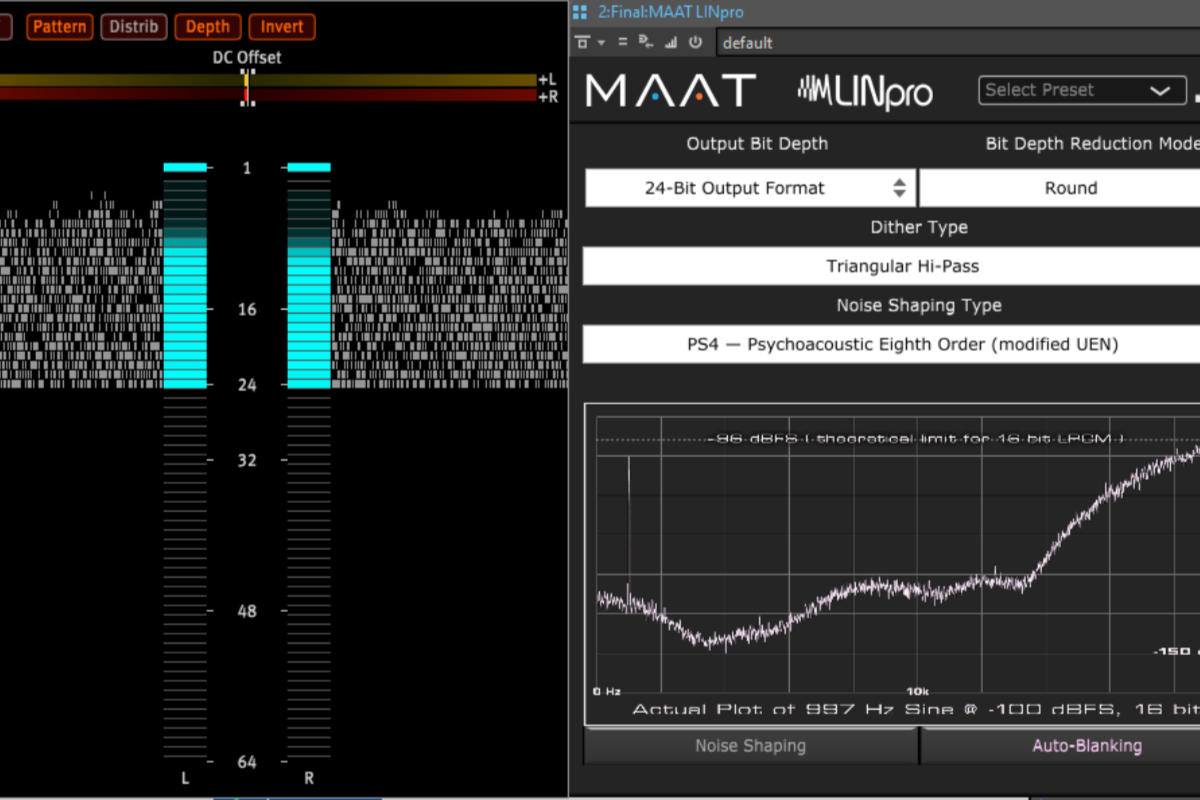
Dithering is a fairly counter-intuitive process that involves adding a layer of distortion to smooth out any errors made in chucking away 8 bits of information (when downgrading from 24 bit to 16 bit).
Again, this is something that should be left to the mastering engineer, but if you are mastering at home then make sure you always dither last – that includes after changing sample rate. So, if you recorded in 48khz/24bit and you’re exporting to 44.1khz/16bit you will need to first export at 44.1khz/24bit and then separately dither down to 16bit. Putting a dithering plugin on your post-fader master channel and then going straight to 44.1/16 puts your sample rate conversion before your dithering. Your audio will suffer for it.
Also try out as many dithering algorithms as you can, they do sound different. Noise shaping algorithms generally work best, but it is entirely subjective. My personal favourite is Izotope’s Mbit+ algorithm but I will always audition different noise levels and shapes for each project.
Follow these rules and your sound will come out cleaner, sharper and, well, better.
They’ve been around for a couple of years, but dynamic range and loudness meters still aren’t that widespread. We’ve recently starting using both for mastering and thought it was high time we offered up a primer.
Dynamic range metering
Dynamic range metering is specifically for use in mastering, although there’s no reason you shouldn’t use it earlier in the chain. TT dynamic range meter is the only such meter we’re aware of, which is brought to you by the Pleasurize Music Foundation (a collaboration between various plug-in developers).
The production of the meter is part of a broader mission to reintroduce dynamic range to recordings and make them more pleasurable to listen to following the hyper-compression of the loudness wars.
It can operate in real-time, but more useful is the offline meter which gives you a single number value of dynamic range. This is broadly similar to the crest factor of the recording (the difference between peak level and average/RMS level) but slightly different due to statistical weighting.
Obviously you have to use your ears to tell you if something is over-compressed or not, but the dynamic range meter is a handy indicator of whether you’ve gone too far or not, particularly when used in conjunction with their lovely genre-specific infographic guide to what you should be aiming for (right).
Loudness metering
RMS meters have been used for years as de facto loudness meters, by giving the average level rather than peak level they offered a much more useful approximation of loudness than PPM meters. However, when it comes down to it, something that registers at 0dB on an RMS meter can sound much softer or louder than a recording of an equal level.
Loudness meters measure the average level of a recording, but filter it with a specific frequency weighting designed to more closely mimic how we actually hear recordings. This way you get a much more useful method of comparing subjective loudness between recordings measured in Loudness Units (Decibels are so last year).
They’re more widespread in broadcast work where standards have already been set for loudness. Although the use of loudness meters isn’t mandatory in the UK as of yet, it will be within a few years, partly in an effort to control the programme/advert loudness difference.
We’ve started loading one of these up in mastering projects (using the excellent PPMulator + plugin) and they’re very interesting indeed. They will undoubtedly become more common over the next few years, so it’s worth familiarising yourself with one if you’re serious about professional audio work (particularly in film and TV). Audiocation have produced a free loudness meter that you can download here.
Naturally, if you’re curious, we’re happy to provide Dynamic Range and Loudness Unit values free of charge when you use us for mastering. Just tell us you’d like them when you contact us with your project details.
Have you tried dynamic range metering or loudness metering?
The maxim ‘you get what you pay for’ holds true for most pro audio products, but I’ve recently been pleasantly surprised at the quality of some free VST plugins. Most useful are the free utility plugins used as loss-leaders, but there are also some really talented bedroom programmers out there.
I’ve tried out quite a few over the last few months, and these are my favourites.
Analysis tools
Some people find needle meters somehow easier to understand than the bar meters most DAWs use these days (myself included). If that’s you, PSP Vintagemeter could be the answer for you. Useable in either PPM or VU mode, it’s a nifty way of getting needles into a digital environment.
BlueCat FreqAnalyst is a fully customisable spectrum analyser that even lets you zoom in on a particular frequency range for more detailed inspection.
Voxengo’s SPAN is a great all-in-one analysis tool that gives you metering of almost any kind you could want – from standard VU and PPM to different K weighted scales, average values (RMS and crest factors) as well as a very useable spectrum analyser. The only problem is it does seem to colour the sound a little bit when switched on…
Utility plugins
BlueCat’s Gain Suite contains a number of very simple plugins that literally do what you’d expect – adjust gain. This is actually more useful than you might first think, particularly for optimising gain structures when running outboard gear as external plugins from your DAW.
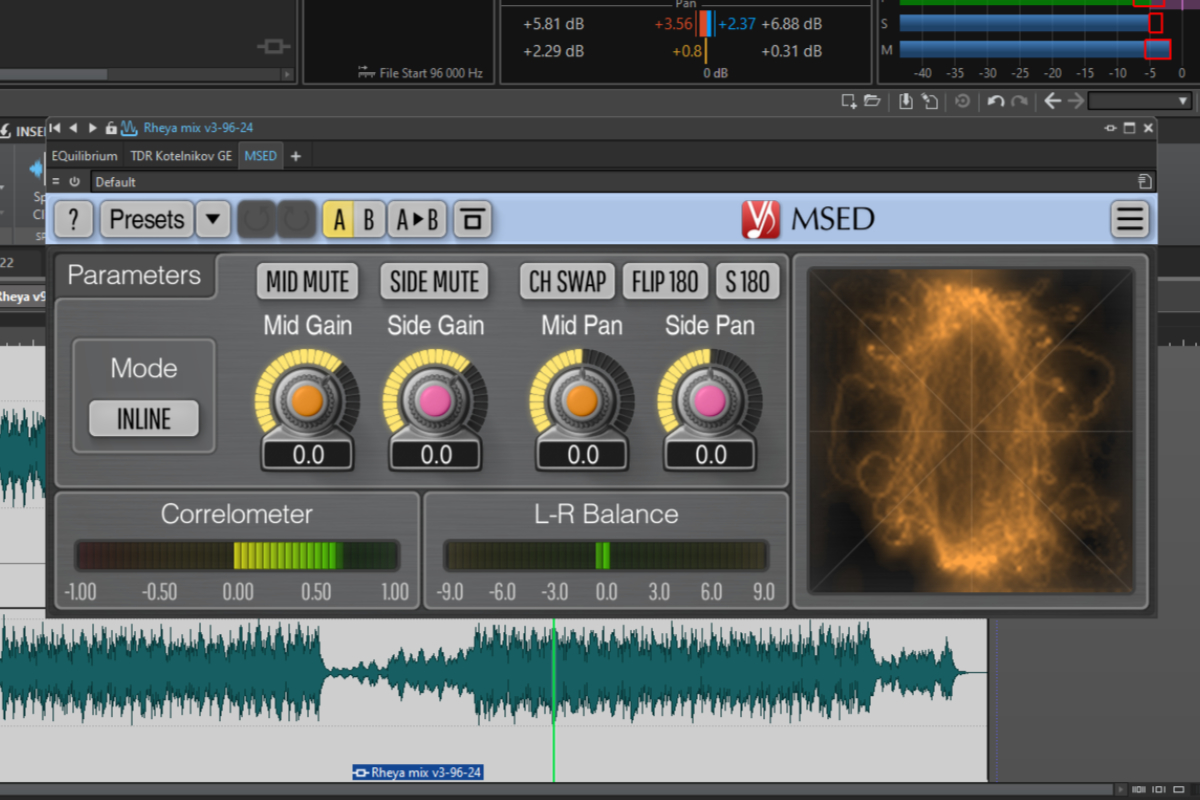
Anyone interested in mid/side processing would do well to download Voxengo’s MSED. Although it’s not too difficult to manually set up a mid/side chain if you know how, this is a great time saver.
The Audiocation Phase AP1 is great for sorting out phase relationships in your mix.
Character
Voxengo’s Tube Amp is great for adding crunch to a signal, particularly when run hot and in parallel. It’s actually surprisingly tube like as well.
The excellent Bootsy over at Variety of Sound has put together three brilliant saturation plugins: the Ferric TDS tape simulator and the Tessla SE and Tessla PRO transformer saturators. The Tessla PRO is particularly interesting as its transient aware.
What free VST plugins can you recommend? Leave your answers in the comments.
Following on from our last post on the importance of knowing the science behind production, we thought we’d take a look at knowing your limitations.
I know we say it a lot, but the advent of home production is great, and as the technology develops and continues getting cheaper it’s only going to get better. That being said, it’s still a relatively expensive way to spend your time, and some things will always stay expensive – good monitors, good outboard gear, anything electrical rather than digital.
You are not Phil Spector
Any home producer worth their salt knows that they’re limited. You’re simply not going to get a lush Phil Spector production out of a laptop parked in a spare bedroom with an SM58 fed into it. I don’t care how many VSTs you’ve got, you still don’t have a string section in a well tuned room.
But that doesn’t mean you can’t get professional results. The trick is to work within the limitations of what you’ve got.
Sticking with the strings, you can get great sounding strings out of a good set of samples, as long as you don’t try to do too much with them. Sustained chords will usually sound great, trying to pick out a proper melody will often just reveal their inadequacies. Perhaps you’d be better off with synth strings where it doesn’t matter that they don’t sound real?
Embracing lo-fi
Similarly, if all you’ve got is a cheap audio interface and a cheap mic, embrace your lo-fi. It takes good pre-amps and a good mic to make a well balanced ‘big’ vocal sound – no amount of messing around with plug-ins and pre-amp simulators is going to replicate it.
Lo-fi is a bona fide sound. If that’s all you can achieve with what you’ve got, either go with it or go to a professional studio. No one complains that Coco Rosie don’t sound ‘proper’ but they certainly don’t sound like they went to a proper studio. Check this out for some great lo-fi.
Of course, (plug alert) even lo-fi recordings need to be brought up to spec, which is where mastering comes in. Make no mistake, mastering will not make a lo-fi recording hi-fi, but done well it helps make the lo-fi sound deliberate rather than enforced.
And that’s the trick – make everything you do sound deliberate.
The Short Version
- You are limited by the gear you have.
- If you can’t get the sound you want from the gear you have, either go to a professional studio or aim for a different sound.
- Lo-fi can be great as long as it sounds deliberate.
- Phil Spector is in prison anyway.
We’re big advocates of home production. The falling cost of music technology has democratised the process of making music enormously, which can only be a good thing. However, there remains a substantial knowledge gap between most home producers and those working in ‘traditional’ facilities.
Here at Brighton Mastering, we get sent a lot of tracks that were recorded in home studios, and the biggest mistake we come across is not a lack of creativity or ideas, but not understanding the science behind music production.
Covering the Basics
One thing we’re often surprised by is a lack of understanding about the basics of recording. We have often been sent tracks that have the odd tell-tale crackle of digital clipping and have even been sent mixdowns in low quality mp3.
What this demonstrates is a fundamental lack of education about music technology. The problem is that any Apple Mac comes with a copy of Garageband that anyone can use, but without knowing what a compressor is actually doing (beyond some vague understanding of ‘punch’), or what different frequencies sound like you don’t have a hope of making a commercial sounding recording. And that doesn’t come in the manual.
Tilting at Windmills
There is a lot to be said for learning by experimentation, and that’s certainly how I got started. However, everything in music production is physics. Knowing that physics makes the whole process much more practical and less the quixotic pursuit of mythical qualities that frankly may be unattainable with what you’re working with.
Knowing the physics can actually plug a lot of the holes in the equipment you’re dealing with, as Mike Senior aptly demonstrates every month in his Mix Rescue column for Sound on Sound. Want to compress only a particular frequency range but don’t have a multiband compressor? Get out your broadband compressor, an EQ with high and low pass filters and away you go.
It may not be fun (well, depends what your outlook is) and it may not be rock ‘n’ roll. But all music technology is physics at work. Making that physics work for you is the creative bit.
Educate Yourself
Don’t think that you have to go on an expensive music production course to learn the science – after all, almost none of these courses existed until a few years ago, and people still made great records.
Buy a couple of books. Get a subscription to Sound on Sound. Subscribe to a few RSS feeds. If you can, get some work experience at your local studio (although these opportunities are drying up in the face of home studios).
Learning the science behind the faders is like learning scales. Sure you can write a song by ear, but it’s a lot quicker if you know which notes fit together.
What books can you recommend to other readers? Leave your suggestions in the comments!
Photo credit Creativity103
Recent Comments